
Offline Conversion Tracking.
Without offline conversion tracking, your ad platforms optimise for cheap, junk leads instead of actual closed revenue. I build robust automation pipelines that feed real sales data — SQLs, Deals, Revenue — back into Google Ads, Meta CAPI and Microsoft Ads, without needing complex enterprise engineering.
Book a Free ConsultationOffline Conversion Tracking
/ Two Proven Pipelines
End-to-End Attribution Setup
METHOD 1
CRM → Zapier → Ad Platforms
Seamlessly push pipeline updates from your CRM directly to your marketing networks.
- CRM → Zapier → Ad Platforms (HubSpot, Pipedrive, GoHighLevel, etc.)
- Real-time pipeline updates pushed to Google Ads & Meta
- Stage-mapping: SQL, Deal, Closed-Won — each becomes a conversion
- Value-based bidding ready (deal value uploaded with each event)
METHOD 2
GTM → Google Sheets → Ad Platforms
The ultimate "No-CRM" stack — GTM Server-Side captures click IDs, sheet rows auto-upload to Ads.
- GTM (server-side) captures click IDs + form data into Google Sheets
- Scheduled Zapier / Apps Script auto-uploads new rows to Ads
- Perfect for businesses without a CRM
- Full UTM + gclid + fbclid + msclkid stored per lead
Attribution & System Integrity
- Server-side data security and token validation
- Customised conversion delay to respect attribution windows
- Value-based bidding via real-time profit margin uploads
- Error-log monitoring and data formatting validation
/ Work Samples — CRM Method (Method 1)
CRM → Zapier → Google Ads in Production
Real screenshots from a live HubSpot → Zapier → Google Ads offline conversion pipeline.
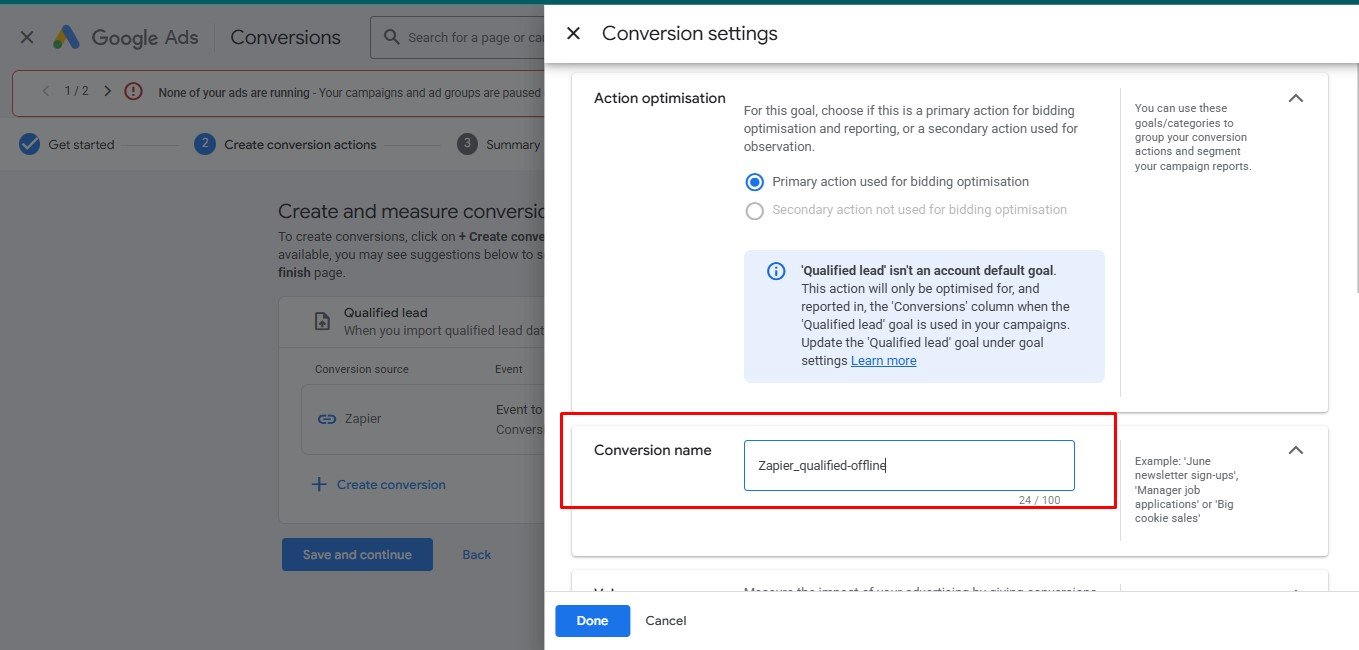 01
01Step 1 — Create offline conversion action in Google Ads
Primary action `Zapier_qualified-offline` created under the Qualified Lead goal, optimised for bidding.
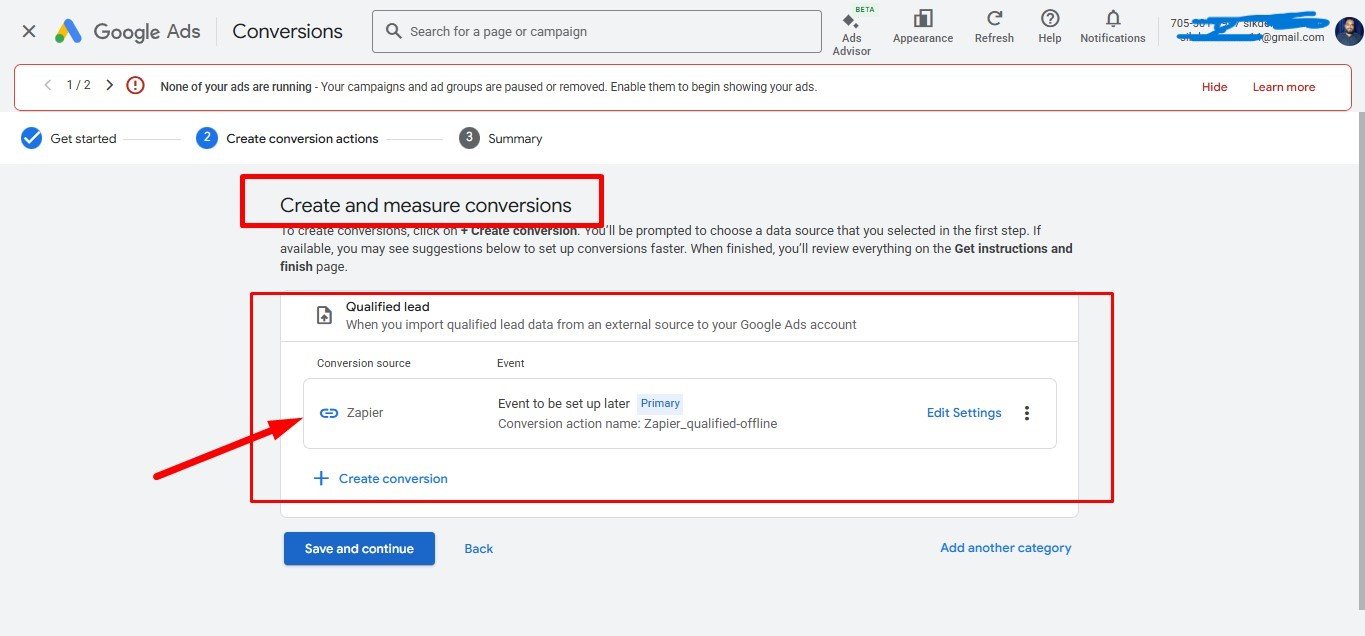 02
02Step 2 — Connect Zapier as the conversion source
Zapier registered as the data source under `Create and measure conversions`, ready to receive offline events.
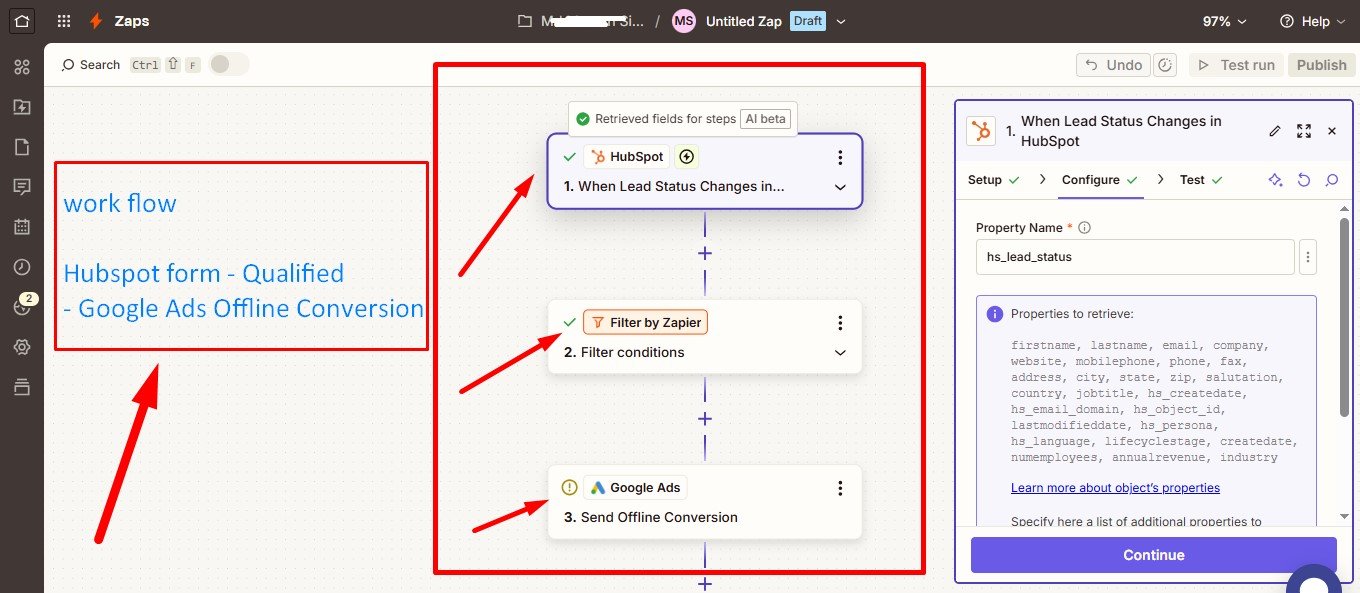 03
03Step 3 — Zapier workflow: HubSpot → Filter → Google Ads
Three-step Zap: trigger on HubSpot Lead Status change → filter qualified leads → send offline conversion to Google Ads.
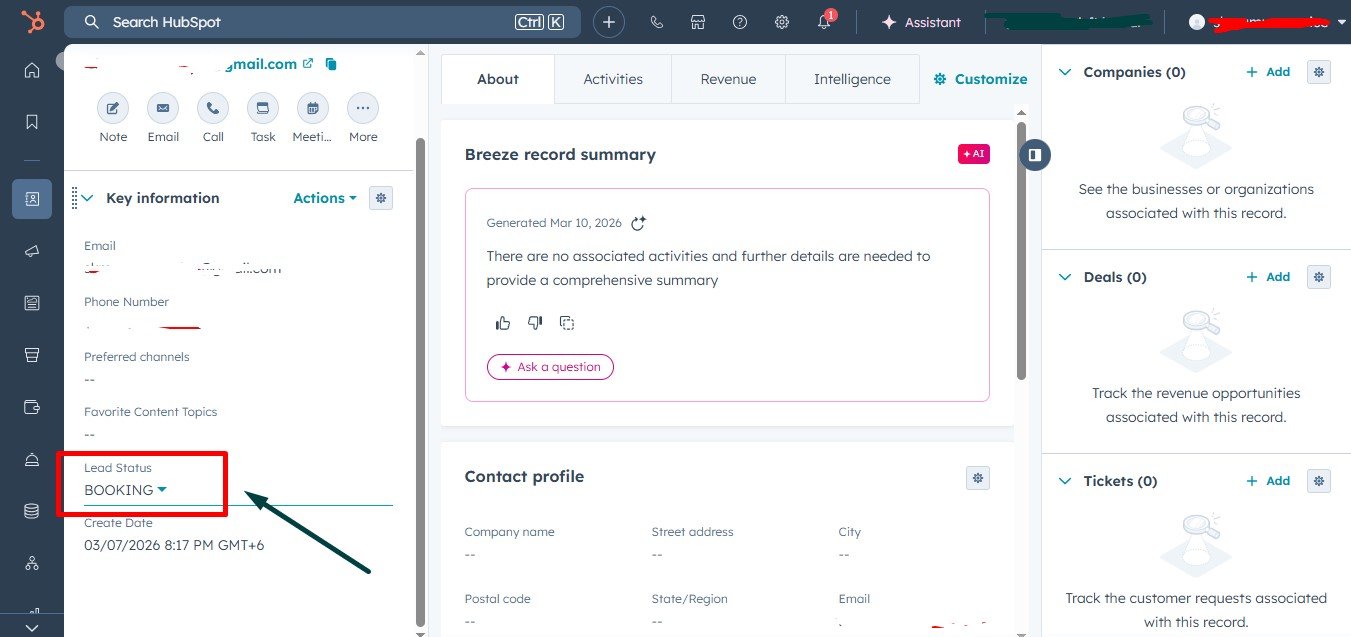 04
04Step 4 — Qualified lead inside the CRM (HubSpot)
HubSpot contact with `Lead Status = BOOKING` — the exact stage that triggers the Zap to fire a Google Ads conversion.
 05
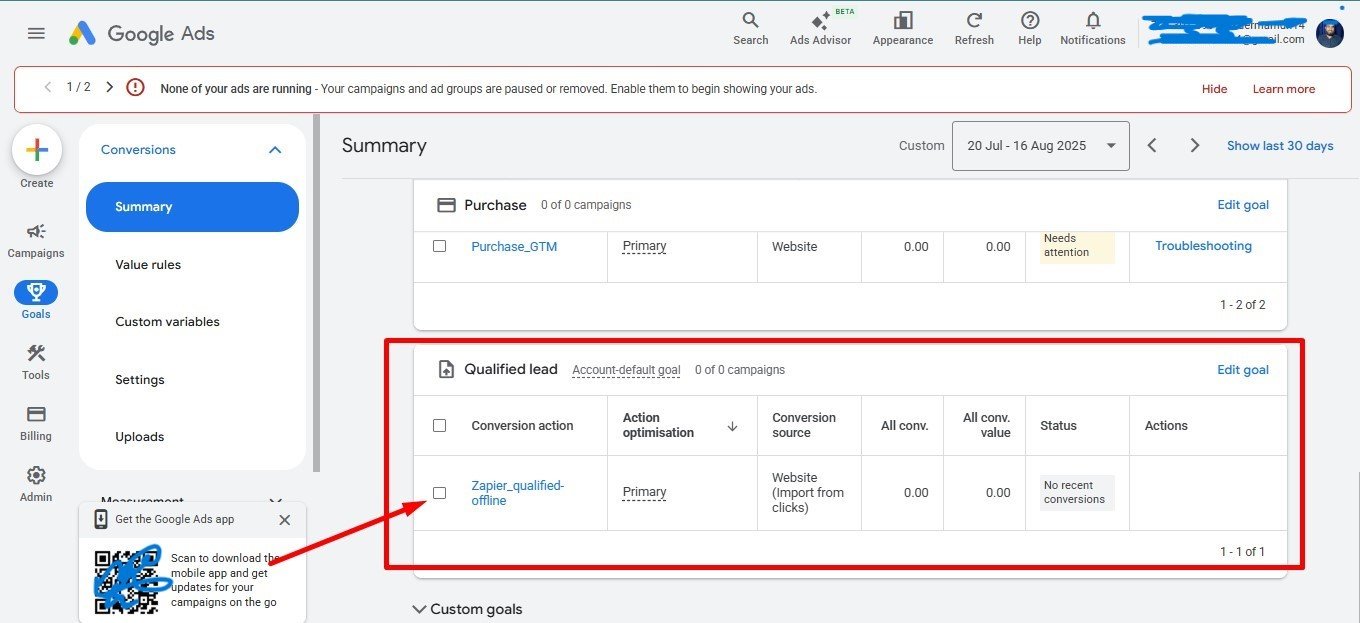
05Step 5 — Conversion landed in Google Ads (Import from clicks)
`Zapier_qualified-offline` shows up in Google Ads as a primary, `Website (Import from clicks)` conversion source — the full handshake works end-to-end.
30%+
Average ROAS lift via Value-Based Bidding
100%
True attribution — match sales to keyword/ad
0
CRM overhead — works without an enterprise CRM
/ Work Samples — Sheet Method (Method 2)
GTM → Google Sheets → Ads in Production
A complete no-CRM pipeline: GTM captures form submissions with click IDs into a master sheet, qualified rows are routed to Google Ads and Meta upload sheets, and a live dashboard tracks lead quality.
 01
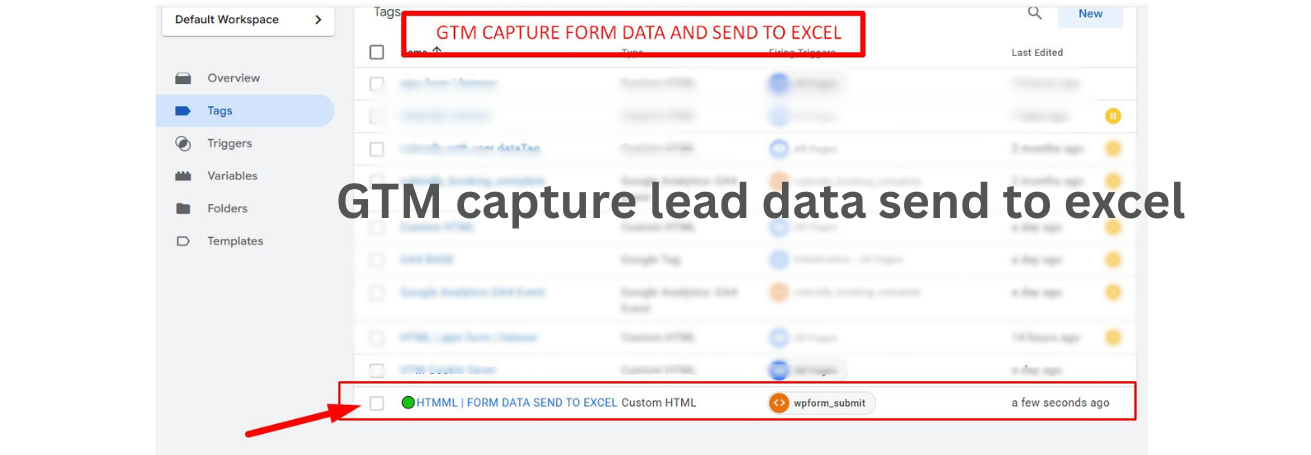
01Step 1 — GTM tag captures form data & sends to Sheet
Custom HTML tag `FORM DATA SEND TO EXCEL` fires on `wpform_submit` to push lead data into Google Sheets.
 02
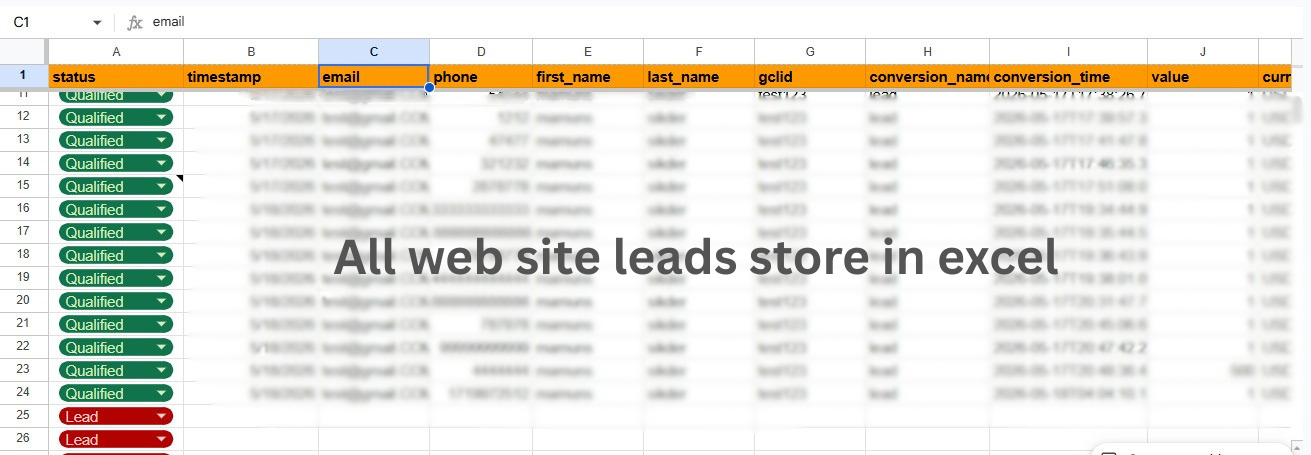
02Step 2 — All website leads stored in master sheet
Every submission is logged with status, timestamp, email, phone, name, gclid, conversion name/time, value and currency.
 03
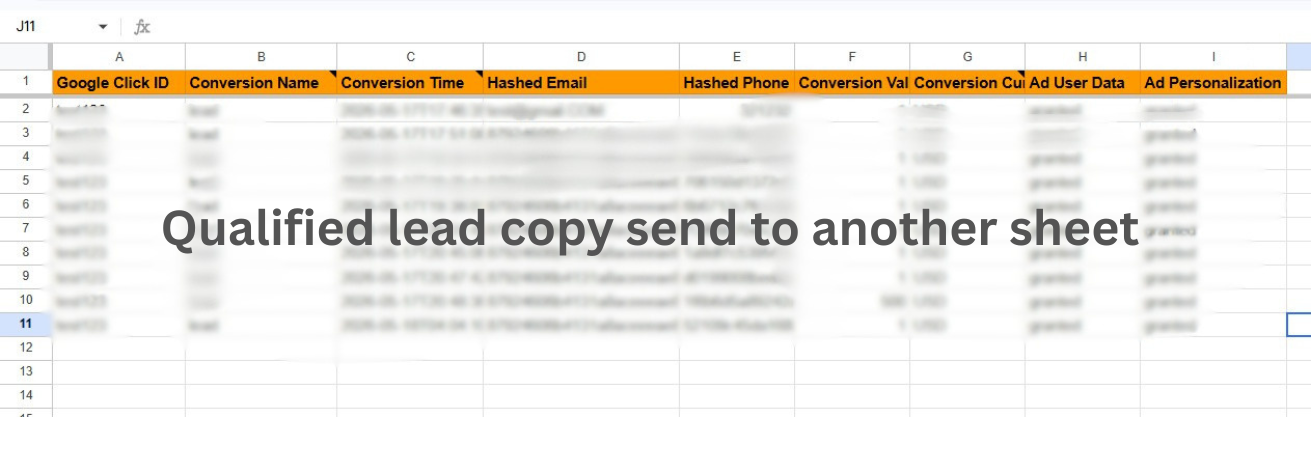
03Step 3 — Qualified leads routed to Google Ads sheet
Filtered qualified rows are copied to a Google Ads upload sheet with hashed email/phone, click ID, value and consent fields.
 04
04Step 4 — Qualified leads routed to Meta offline sheet
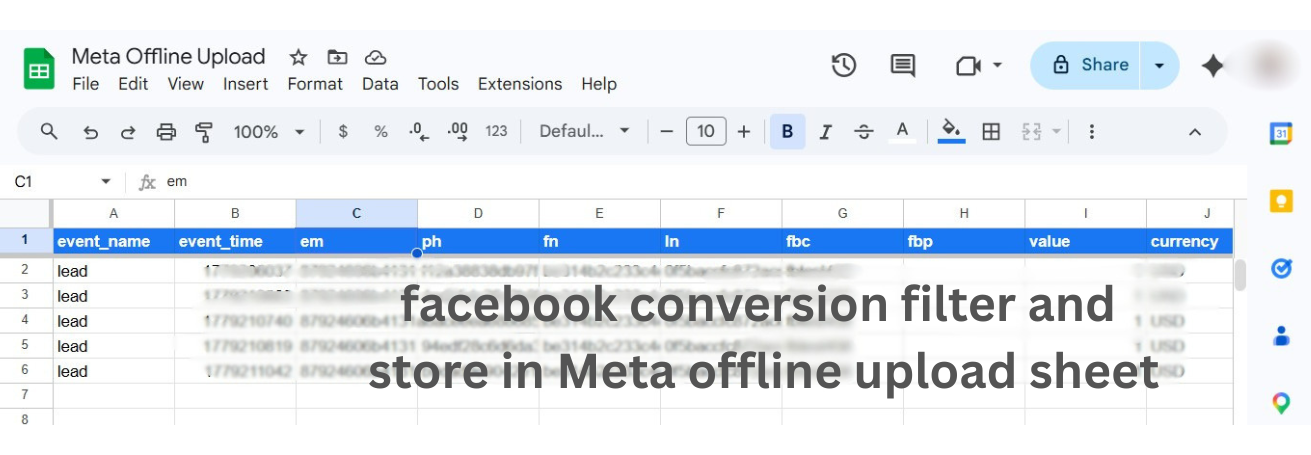
Same qualified rows formatted for Meta CAPI: event_name, event_time, em, ph, fn, ln, fbc, fbp, value, currency.
 05
05Step 5 — Live lead dashboard inside the sheet
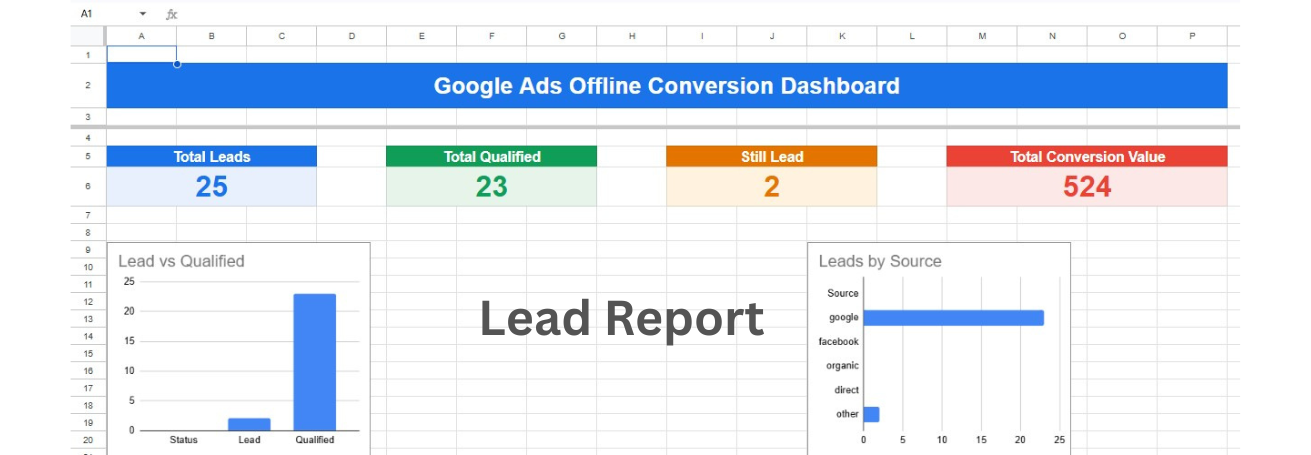
Real-time dashboard: Total Leads, Total Qualified, Still Lead, Total Conversion Value, plus Lead vs Qualified and Leads by Source charts.
 06
06Step 6 — Imported into Google Ads (Qualified lead, Active)
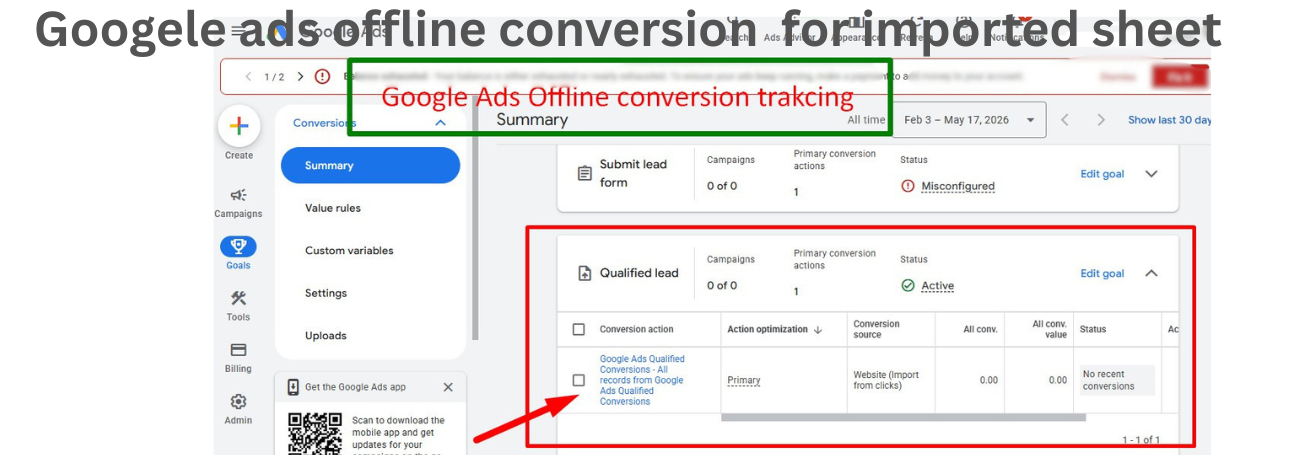
`Google Ads Qualified Conversions` action live as a primary, `Website (Import from clicks)` source — fed directly from the sheet.
 07
07Step 7 — Uploaded into Meta Ads (Offline Events)
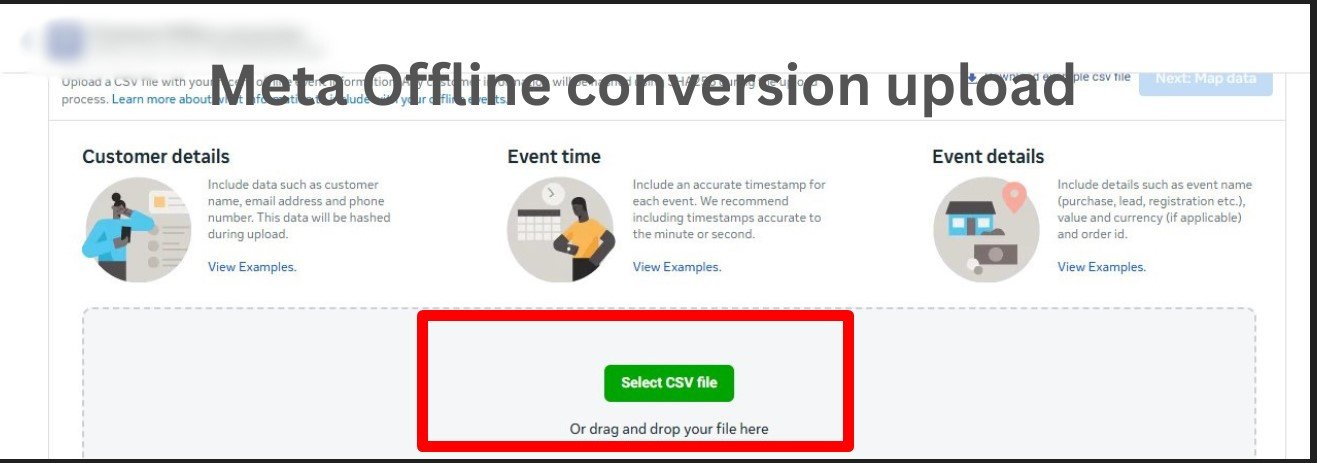
CSV from the Meta sheet uploaded to Meta Offline Events with customer details, event time and event details mapped.
Stop optimising for junk leads.
Let your closed-won revenue train the algorithm. I'll build the pipeline end-to-end in days, not weeks.